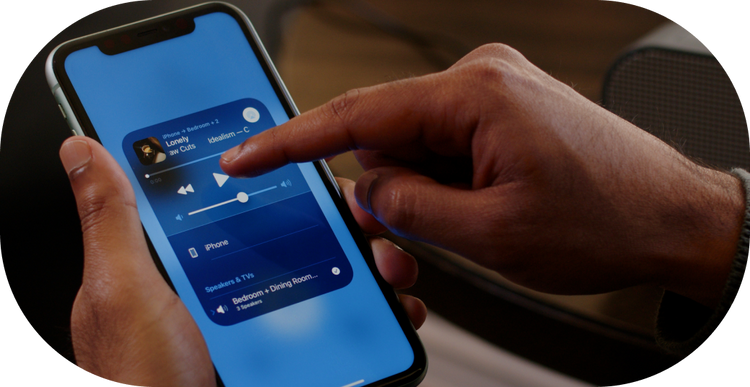
In the ever-evolving world of technology, creating a seamless audio experience is now more accessible than ever with the integration of AirPlay on Mac devices. AirPlay allows users to wirelessly stream audio and video from their Mac to multiple speakers or devices, transforming any space into a harmonious soundscape. Whether it’s for a home sound system or a professional setting, utilizing AirPlay on a Mac can enhance the audio experience significantly, providing users with the ability to connect multiple speakers effortlessly.
Understanding AirPlay Integration
AirPlay is a proprietary protocol stack developed by Apple Inc. that enables wireless streaming between devices of audio, video, device screens, and photos, along with related metadata. Here”?s how AirPlay can transform the audio experience:
- It allows for high-quality, wireless audio streaming directly from Mac devices.
- AirPlay supports multi-room audio, giving users the ability to play music in different rooms simultaneously.
- It offers a user-friendly interface, requiring minimal setup and configuration.
Setting Up AirPlay on Mac
To use AirPlay Mac effectively, follow these steps:
- Ensure all devices are connected to the same Wi-Fi network. This is crucial for seamless connectivity and performance.
- Open the “System Preferences” on your Mac and navigate to the “Sound” settings.
- Select the “Output” tab and choose your desired AirPlay speakers from the list.
- Adjust volume settings as needed for each speaker to ensure balanced audio output.
Benefits of Connecting Multiple Speakers
Connecting multiple speakers via AirPlay can significantly enhance the listening experience. Here are some benefits:
- Enhanced Sound Coverage: Distribute sound evenly across a large area, ensuring that audio is heard clearly from any point in the space.
- Customizable Audio Zones: Create different audio zones within a space, allowing for varied sound experiences in different areas.
- Scalability: Easily add or remove speakers from the network as needed, providing flexibility to adapt to changing audio needs.
Troubleshooting Common Issues
While AirPlay is designed for ease of use, users may encounter some common issues when trying to connect multiple speakers. Here are some troubleshooting tips:
- Ensure all devices are updated to their latest software versions. Outdated software can cause compatibility issues.
- Check the Wi-Fi network connection. A stable and strong Wi-Fi signal is essential for uninterrupted streaming.
- Restart the devices if they are not appearing in the AirPlay menu. This can often resolve connectivity issues.
Advancements in Multi-Speaker Connectivity
The integration of AirPlay with multi Bluetooth speakers has expanded the possibilities for audio enthusiasts. Here”?s how:
- Combining AirPlay with Bluetooth technology allows for a broader range of compatible devices, enhancing connectivity options.
- Users can now enjoy synchronized audio across multiple Bluetooth-enabled speakers, providing a richer and more immersive sound experience.
Conclusion
Utilizing AirPlay on Mac devices to connect multiple speakers offers a seamless and highly effective audio solution for any setting. Whether enhancing a home sound system or setting up audio for a professional event, the ability to stream high-quality audio across various speakers provides users with unparalleled flexibility and control over their sound environment. With its intuitive setup and user-friendly interface, AirPlay continues to be an essential tool for creating a cohesive and immersive audio experience.